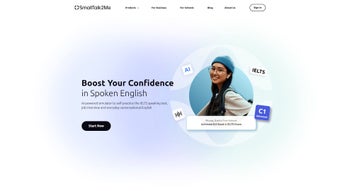

Download SmallTalk2Me – AI English Speaking Practice & Test Simulators
Overview
SmallTalk2Me is an innovative, AI‑driven language platform that transforms spoken English practice into a data‑rich, interactive experience. Designed for non‑native speakers ranging from high‑school students preparing for the IELTS exam to corporate professionals polishing interview skills, the app delivers instant, secure feedback that tracks progress in real time. Its core engine combines cutting‑edge speech‑recognition models with natural‑language processing to evaluate pronunciation, fluency, lexical range, and grammatical accuracy.
By offering a Personal AI English Speaking Coach, a Vocabulary Booster, mock job interview simulations, and a comprehensive English Level Test, SmallTalk2Me covers every aspect of oral proficiency.
What truly sets SmallTalk2Me apart is its privacy‑first architecture. All audio recordings are encrypted end‑to‑end using TLS 1.3, and users can enable a “Local‑Only Mode” that prevents any data from leaving the device.
This commitment to security makes the tool ideal for business users and educational institutions that handle sensitive learner information.
The platform is also mobile‑first, offering native Android and iOS apps alongside a responsive web portal that works seamlessly on Windows 10+ and macOS 11+. Continuous over‑the‑air updates ensure that learners always have access to the latest AI models, new vocabulary packs, and feature enhancements without manual intervention.
Whether you are looking to download a free, reliable English‑learning companion or seeking a scalable solution for an entire classroom, SmallTalk2Me provides a versatile, future‑proof environment that adapts to your evolving language goals.
Key Features & Tools
- IELTS Speaking & Writing Test Simulators – Replicate the exact format of the official IELTS exam, receive AI‑generated scores, and view detailed comments on pronunciation, grammar, and coherence.
- Mock Job Interview Simulator – Practice common interview questions, record your responses, and let the AI evaluate confidence, fluency, and professional language usage.
- English Level Test – A quick, adaptive assessment that places you on the CEFR scale (A1‑C2) and recommends personalized learning paths.
- Vocabulary Booster – Daily word challenges, contextual examples, and spaced‑repetition flashcards designed to cement new terms in long‑term memory.
- Personal AI Speaking Coach – Real‑time pronunciation correction, grammar hints, and suggestions for richer expression based on your recorded speech.
- Daily Stories & Ongoing Courses – Short, engaging narratives followed by comprehension questions, plus multi‑week courses that blend listening, speaking, and writing.
- Business & Education Packages – Bulk licensing, employee skill dashboards, and teacher admin panels for classroom integration.
- Privacy‑First Architecture – End‑to‑end encryption for all audio files, with optional local‑only processing for highly sensitive users.
- Cross‑Platform Mobile Access – Native apps for Android and iOS, plus a responsive web portal for Windows and macOS users.
Each feature is built around the principle of instant, actionable feedback. When you finish a speaking task, the AI not only scores you but also highlights specific phonemes that need work, suggests alternative phrasing, and links to relevant vocabulary lessons. This loop of practice‑feedback‑review accelerates learning far beyond traditional textbook methods.
The IELTS simulator, for example, mimics the four‑part speaking test, providing band‑score predictions that align with official scoring rubrics. The mock interview tool adapts questions to the industry you select—tech, finance, healthcare—so you receive context‑specific language coaching. Meanwhile, the Vocabulary Booster uses spaced‑repetition algorithms to ensure that newly learned words transition from short‑term to long‑term memory, a technique proven by cognitive science to improve retention.
For educators and HR managers, the analytics dashboard aggregates individual scores into class‑wide or team‑wide reports, highlighting trends, identifying gaps, and enabling data‑driven interventions. The platform’s modular design means you can start with the free trial and later upgrade to premium plans that unlock deeper insights, custom branding, and API access for LMS integration. In short, SmallTalk2Me offers a holistic, AI‑enhanced ecosystem that turns everyday speaking practice into measurable progress.
Installation, Compatibility & How to Use SmallTalk2Me
Downloading & Setting Up
Getting started with SmallTalk2Me is straightforward. Follow these steps for a smooth installation on any device:
- Visit the official website or open the Google Play Store / Apple App Store.
- Click the “Download Free” button – the installer is under 120 MB, ensuring a quick transfer even on slower connections.
- Run the installer (Windows .exe or macOS .dmg). macOS may require you to allow apps from identified developers in System Preferences → Security & Privacy.
- Create a secure account using your email address or single sign‑on via Google or Microsoft.
- Complete the brief onboarding questionnaire, which tailors the initial proficiency test and recommends a personalized learning plan.
After the first launch, the app will request microphone access. This permission is essential for recording speech and delivering real‑time feedback. All recordings are encrypted on the device before being sent to the AI engine, and you can opt to keep them locally if you prefer. The onboarding flow also guides you through setting your preferred accent (British, American, Australian) and selecting the primary skill you wish to develop (IELTS, interview, general conversation).
Operating System Support
SmallTalk2Me runs on the following platforms, ensuring a consistent experience whether you work from a desktop, laptop, tablet, or smartphone:
- Windows 10 and later (64‑bit)
- macOS 11 (Big Sur) and later
- Android 8.0 (Oreo) and later
- iOS 13 and later
The cloud‑based AI engine is platform‑agnostic, meaning processing speed and accuracy remain consistent across devices. Automatic updates are delivered through the respective app stores, guaranteeing you always have the latest security patches and feature enhancements without manual effort.
Step‑by‑Step Usage Guide
Once installed, you can start a practice session in three simple clicks:
- Select a module: Choose from IELTS, Job Interview, Vocabulary Booster, Daily Stories, or Custom Practice.
- Record your response: Press the red microphone button, speak naturally, and stop when finished. The AI begins analysis instantly.
- Review feedback: A score appears alongside a breakdown of pronunciation, fluency, lexical range, and grammar. Click “Play Back” to hear your recording with AI‑generated highlights, or tap “Deep Dive” for a line‑by‑line explanation.
For longer courses, the “My Courses” tab tracks completed lessons, upcoming assignments, and suggested practice intervals based on your performance. The platform also sends push notifications for daily vocabulary challenges and scheduled mock tests, encouraging consistent learning without feeling overwhelming. Pro tip: use the “Focus Mode” to mute all notifications while you record, ensuring a quiet environment for optimal speech capture.
Pros, Cons & Frequently Asked Questions
Pros
- Instant, AI‑driven feedback that mimics human expert evaluation.
- Comprehensive test simulators covering IELTS, job interviews, and CEFR‑aligned level assessments.
- Mobile‑first design with offline recording options for privacy‑conscious users.
- Rich analytics dashboard for tracking progress over weeks or months.
- Flexible licensing for individuals, schools, and corporations.
- Accent‑specific pronunciation tips for British, American, and Australian English.
- Regular content updates, including new vocabulary packs and exam‑style questions.
Cons
- Full feature set requires a premium subscription after a 7‑day free trial.
- Internet connection needed for AI processing; offline scoring is limited to basic pronunciation checks.
- Advanced writing feedback is currently only available for IELTS essays, not generic writing tasks.
- Initial onboarding questionnaire may feel lengthy for users who want immediate practice.
- Some users report that the UI can feel crowded on small‑screen Android devices.
FAQ
Is SmallTalk2Me completely free?
The app offers a 7‑day free trial that includes all core features. After the trial, a monthly or annual subscription unlocks the full suite of simulators, analytics, and premium content.
Can I use SmallTalk2Me without an internet connection?
You can record audio offline, but the AI scoring engine runs in the cloud, so an internet connection is required for detailed feedback. Basic pronunciation waveform analysis works locally.
How secure is my recorded speech?
All recordings are encrypted end‑to‑end using TLS 1.3. Users may enable “Local‑Only Mode,” which prevents any audio from leaving the device, ensuring maximum privacy.
Does SmallTalk2Me support British and American English accents?
Yes. The AI model has been trained on diverse English accents, and you can select a preferred accent profile in settings to receive accent‑specific pronunciation tips.
Can schools integrate SmallTalk2Me into their curriculum?
Educational institutions can purchase bulk licenses that include teacher dashboards, class performance reports, and API access for LMS integration (e.g., Canvas, Moodle).
What kind of customer support does SmallTalk2Me provide?
Premium subscribers receive 24/7 live chat support, a dedicated help‑center with step‑by‑step guides, and access to weekly webinars that cover exam strategies and advanced speaking techniques.
Conclusion & Call to Action
SmallTalk2Me bridges the gap between traditional language study and modern AI‑enhanced practice. By delivering instant, data‑driven feedback across speaking, writing, and vocabulary, the platform empowers learners to self‑correct, stay motivated, and achieve measurable improvement faster than ever before. Whether you’re an individual aiming for a higher IELTS band, a professional preparing for a crucial interview, or an organization seeking to benchmark employee language skills, SmallTalk2Me offers a secure, mobile‑first solution that adapts to your unique goals.
The combination of robust feature sets, cross‑platform availability, and privacy‑first design makes it a standout choice in a crowded market of language‑learning apps. Its AI engine continues to evolve, meaning that each update brings smarter feedback, new content, and tighter integration with popular productivity tools. For educators, the bulk‑license option and teacher dashboards simplify class management and provide valuable insights into student progress. For businesses, the employee skill dashboards help identify communication gaps that could impact client interactions or internal collaboration.
Ready to transform your English fluency? Download SmallTalk2Me now and start your 7‑day free trial. Experience AI‑powered coaching, comprehensive test simulations, and a vibrant learning community—all while keeping your data private and your progress transparent. Take the first step toward confident, fluent English today.



.png)



